Showing posts with label web dev. Show all posts

Saturday, 17 September 2016

Top 20 Content Management system scripts

Top 20 Content Management system scripts
Content management system/CMS is a computer application that supports the creation and modification of digital content using a simple interface to abstract away low-level details unless required, usually supporting multiple users working in a collaborative environment. Here in this post we gathered Top 20 Best content management system scripts for your consideration. Read on:


Top 20 content management system scripts

1. WordPress
WordPress is the leading content management systems in the world that in addition to providing the platform for publishing, and website maintenance tools, deals in the creation of blog and websites as well. This content management system delivers the webmasters and bloggers with all those tools and functions that assist them in managing all of their online content from editing to publishing.

2. Joomla
Joomla is an user end content management system for the mobile users to deal with their mobile based websites and even create the new one. The features of extensibility, a powerful content management system, option for frontend editing, content versioning, menu management, tagging, and being the multilingual makes the Joomla one of the best content management systems for the mobile based websites.

3. Drupal
Drupal is an open source CMS that delivers the solution for documentation and source for download and provide some hosting solutions as well. Drupal is the fine selection of almost two hundred plus improvement and features that enable the users in order to managing their online content, priorities their tasks as well according to individual importance of each task.

4. Stacey
Stacey content management system for managing the all type of content of any website. It requires no kind database setup or installation of a file that make the Stacey one of the best lightweight yet powerful content management system. The process of working with Stacey simply starts by dropping the apps in a server and then it will automatically start it to run.

5. Contentful
Contentful is the one of the best CMS because of being based on the API; rather than merely focusing on the browser. The best about Contentful is that it delivers the webmasters and web developers with the system of customization to structure and organize their content according to their own requirement. Contentful one of the best CMS in the online world where the users are no more required to deal directly with the raw API as SDKs for the most languages have been already created by the Contentful.

6. ImpressPages
ImpressPages is an open source content management system that delivers the website administration and layout features in a single pack. It is one of the most user friendly CMSs that instead of providing unnecessary tools and functions focus more on those that are regarded as must have for an impactful online presence. It is a PHP framework based content management system that features the simple yet effective coding.

7. MODx
MODx is  flexible CMS that for those who want to get creativity in their work. It is for those who want to get complete command and control over all of their content work. The main advantage of using MODx is that it delivers the developers and web masters with more scalability and flexibility that assist them in modifying the feature and functions of MODx subject to their own requirements.

8. Plone
Plone is an open source CMS that is accompanied with independent content management framework. It is a Python-based content management system that in addition to greater flexibility and configurable options provide the developers with the system of excellent security. It is available in over forty international languages. In addition to managing and building the websites, Plone gives the powers of building even intranets as well.

9. Concrete5
Concrete5 is an open source CMS that empowers the developers and editors to share more professional and highly engaged content with others. It is the fine collection of all those elements and supports that assist the developers and webmasters in creating a creative piece of work. Concrete5 is not for building the simple websites and blogs only.

10. SilverStripe
SilverStripe is an ultra-modern CMS that has own independent extensible programming framework based on the modern days content management requirements. SilverStripe is not about providing the system for web content management only; it provide the users with the system of enhancing engagement with their visitors as well. The infrastructure and development features of the SilverStripe are the fine combination of expertise and simplicity at the same time.

11. Contao
Contao is a next generation content management system that is based on the open web standards system with the system of being adaptable according to the requirements of the users. The user-friendly interface and management system of deploys the Web 2.0 and Ajax that ensures the best usability options. It is backed with a powerful permission system, advanced search system, and a pack of independent themes.

12. ProcessWire
ProcessWire is an open source and PHP based cost effective and time efficient content management system that support the management and development of any type and at any scale. It is based on the requirements of the common content management practices that’s why it can be molded according to the requirements of the developers and webmasters.

13. Exponent
Exponentis is notable free and open source content management system that contains its own independent modular software framework of enterprise level. Exponent CMS is written in PHP programming language. The enhanced editing system of Exponent CMS delivers the developers with the power of editing the content of any page of the website without any further requirement of back-end administration system.

14. GetSimple
 GetSimple is free, flat, and extensible web CMS that is based on the environment of making the work of its developers and webmasters easy and simple. GetSimple CMS is written in the PHP and deploys the XML file sin order to store the web content. Being the flat CMS, GetSimple CMS is different from those CMSs that utilizes the MySQL databases.

15. Impress
Impress is a MySQL and PHP based CMS for dealing with dynamic websites. It has its own open-ended set of architecture that permit the webmasters and web developers to add the extra modules into the core content management system of the ImpressCMS in order to enhance its functionality. It assist the users in keeping their website up to date and secure by using its flexible system of maintenance and management.

16. RavenNuke
RavenNuke is a CMS that supports the managing and publishing content on the intranets and websites. It features the basic content management tools that are regarding caching to enhance the performance of content, printable version of web pages, blogs system, RSS feeds, website searching, etc. RavenNuke is PHP-based content management system that utilizes the MySQL database management system in order to store the information.

17. Pixie 
Pixie is a free and open source CMS and web application for the management of small and medium sized websites. It is perfect for the content hangman of small based websites. Pixie CMS is written in PHP and deploys the MySQL database for data storage system. It is free to use content management system that provides the basic features of microformats, file manager, database backup system, setting the time etc.

18. Nucleus 
Nucleus is a PHP-based content management system for the small websites and blogs. It is written in the PHP and MySQL operate in the backend. Nucleus CMS is basically used for those website and content that requires the frequent updates. It is considered as the one of the most lightweight CMSs that has its own independent plugin system that is available in multiple languages.

19. October
October is a free, self-hosted and open source content management system. OctoberCMS is based on the Laravel web app framework and PHP programming language. Currently, it is supporting the PostgreSQL, SQLite, and MySQL as database backend. OctoberCMS is widely regarded as the CMS that works beyond the functionalities of CMS as it also supports the other features of website editing, designing and creation as well.

20. Open
Open is an open source Java-based content management system for dealing with large-scale enterprise level of websites. OpenCms provide the web developers and webmasters with the system of browser based work environment where it then provide a WYSIWYG for workflow management, and user management, in addition, to simply content management.

So which one do you use, don't forget to mention :)

Monday, 12 September 2016

Add '3D Pressible Button' to your web project

Add '3D Pressible Button' to your web project
CSS can be used to create an awesome "call to action" button, as in the case of our 3D pressible button here. It uses CSS2 pseudo element to add a lower 3D side to the link, and CSS3 shadows and transition to complete the look. To overcome a severe limitation of Google Chrome and Safari at the time of writing not supporting CSS3 transitions on pseudo elements, we use the "inherit" technique as described here, so the 3D side of the button is animated when the user presses down on the button.  Note that the default "depth" of the 3D effect is 12px. If you need to increase or decrease this value, change the "12px" value that occurs 3 times in the CSS. Let's see how it looks like and get the source code:

Add '3D Pressible Button' to your web project


See the Pen pressable by kShazzad (@kShazzad) on CodePen.


So what you think about this button, don't forget to mention :)

Wednesday, 7 September 2016

Add 'CSS3 Black Menu' to your website

Add 'CSS3 Black Menu' to your website
Few days ago I've published Vertical text menu for websites for continue the series here I'm presenting Dashing CSS3 Black Menu with drop-down sub menu for your website. It is built with HTML, CSS and CSS3 effect transition, compatible with all major web browser and looks fabulous on any kind of website no matter their background is light or dark. Let's see how it looks like and get the source codes:


Add 'Dashing CSS3 Black Menu' to your website


See the Pen black by kShazzad (@kShazzad) on CodePen.
So what you think about this menu don't forget to mention. Check out other trending navigation menus 3 responsive navigation menu, Multipurpose navigation menu, Overlay style menu, CSS3 navigation menu style 1, CSS3 navigation menu style 2, Goodluck

Tuesday, 6 September 2016

Add "Image gallery with Caption" to your web project

Add "Image gallery with Caption" to your web project
Someday ago I published a tutorial about How to caption image with 4 popular CSS3 method, Here I present to you a full version of that tutorial, this is called "Image gallery with Caption", this widget is made with CSS3 elements and effects, it's easy to configure and light weighted so it will load quickly and looks slick on any types of web site, let's take a look at it shall we. Read on:


Add "Image gallery with Caption" to your web project


See the Pen Caption by kShazzad (@kShazzad) on CodePen.


So what you think about this widget don't forget to mention :)

Friday, 1 July 2016

25 Best jQuery Image Gallery Plugins

25 Best jQuery Image Gallery Plugins
jQuery is free, open-source software and it is the most popular JavaScript library in use today, with installation on 65% of the top 10 million highest-trafficked sites on the Web. jQuery is a cross-platform JavaScript library designed to simplify the client-side scripting of HTML. In my previous posts I posted jQuery base Free Responsive Image Slider list and Navigation menu examples Here in this article I presenting Best jQuery Image Gallery Plugins; Read on:


25 Best jQuery Image Gallery Plugins 

1. xGallerify : A jQuery Responsive & Smart Gallery
xGallerify : A jQuery Responsive & Smart Gallery
A lightweight, responsive, smart gallery based on jQuery. Completely responsive, Easy to use and customizable, Only 2.5kb file size.
Demo
Download

2. Cube Portfolio : Responsive jQuery Grid Plugin
Cube Portfolio : Responsive jQuery Grid Plugin
Cube Portfolio is a jQuery grid plugin that provides powerful portfolio system, beautiful animated filtering, custom captions and it’s perfect for portfolio projects, horizontal slider, images gallery, team members, mosaic grids or any other ordered grid content.
Demo
Buy

3. nanoGALLERY : Responsive and Mobile-Friendly Image Gallery Plugin 
 nanoGALLERY : Responsive and Mobile-Friendly Image Gallery Plugin
jQuery nanoGALLERY is a jQuery plugin that integrates with fancybox plugin to create responsive and touch-friendly image galleries with lightbox and navigation support. The plugin can display also album and images stored in Flickr or Google+/Picasa.
Demo
Download

4. Isometric : 3D Grids with CSS3
Isometric : 3D Grids with CSS3
The inspiration comes from the Hotchkiss website where an isometric, scrollable grid is shown with some cool hover effects. A scrollable grid just like the one seen on that site, with some hover effects that involve random rotations. The second demo shows some ideas for “static” grids that are not scrollable but that serve more kind of a decorative purpose.
Demo
Download

5. Filterizr : jQuery Stunning Filterable Gallery
Filterizr : jQuery Stunning Filterable Gallery
Filterizr is a jQuery plugin that sorts, shuffles and applies stunning filters over responsive galleries using CSS3 transitions. Features: Pluggable look & feel (write your CSS effects in the box on the right and hit Filterize!) , Performant: optimized for smooth experience on mobile devices, Lightweight: around 8.5kb, Responsive, Open source.
Demo
Download

6. Fluid Responsive Photo Gallery : with jQuery and Bootstrap
Fluid Responsive Photo Gallery : with jQuery and Bootstrap
A super lightweight JavaScript plugin that creates a responsive, flexible thumbnail gallery using Bootstrap grid system and displays large version of the image in a lightbox slider using Bootstrap modal component.
Demo
Download

7. Responsive Bootstrap Modal And Popup with jQuery
Responsive Bootstrap Modal And Popup with jQuery
A set of responsive Bootstrap Modals and Popups those contain bootstrap carousel, images gallery, login, signup and contact us forms, subscribe and search bars, different types videos in modal etc with new features. 100% Responsive And Mobiles friendly, 20 Ready modal style, 5 Colors Schemes, 3 Background Colors Schemes, Built With Bootstrap 3.x, 26 Animation Effects, Different Types of Sliders in the Modals     Touch swipe Enabled In Sliders.
Demo
Buy

8. Instagram Element : Instagram Plugin for jQuery
 Instagram Element : Instagram Plugin for jQuery
Instagram Element is a premium Instagram plugin for bloggers, photographers, models, and anyone looking to increase their presence on Instagram. Based off the popular Instagram Journal plugin, this jQuery plugin version allows you to easily manage 50+ flexible options and create the perfect display with just a few clicks. Furthermore its’ mobile, responsive design allows you to showcase your photos beautifully on any device.
Demo
Buy

9. mb.thumbGrid : Stylish jQuery Gallery Grid with Lightbox Support 
mb.thumbGrid : Stylish jQuery Gallery Grid with Lightbox Support
mb.thumbGrid is a jQuery gallery plugin used to display a grid of thumbnails as a slideshow with fancy CSS3 transitions. When you click on a thumbnail, the high resolution image will be displayed in a responsive lightbox that allows you to navigation through images with arrow controls.
Demo
Download

10. Responsive Photo Gallery with jQuery & Bootstrap
Responsive Photo Gallery with jQuery & Bootstrap
A simple jQuery plugin that will create a Bootstrap based Photo Gallery for your images. Supports variable height for the images and captions. An optional “modal” box with “next” and “previous” paging is also included.
Demo
Download 

11. Justified-Gallery : jQuery Justified Grid Plugin
Justified-Gallery : jQuery Justified Grid Plugin
This is a jQuery plugin which allows you to create responsive, infinite, and high quality justified gallery of images.  A common problem, for people who create sites, is to create an elegant image gallery that manages the various sizes and aspect ratio of images. Flickr and Google+ manage this situation in an excellent way, the purpose of this plugin is to give you the power of these solutions, with a new fast algorithm.
Demo
Download

12. snapGallery.js : jQuery Responsive Galleries
snapGallery.js : jQuery Responsive Galleries
snapGallery.js : jQuery Responsive Galleries  snapGallery is a super-simple jQuery plugin that converts your unordered, haphazard, differently sized images into a beautiful gallery.  Completely responsive and customizable, snapGallery allows you to select the spacing between images, the minimum width allowed before stacking and the maximum number of columns, with more options.
Demo
Download 

13. Masonry.js : Responsive Tiled Grid Layout Plugin With jQuery
Masonry.js : Responsive Tiled Grid Layout Plugin With jQuery
Masonry.js is an ultra-light (~1kb minified) jQuery plugin used to create responsive, cross-platform, tiled gallery/grid similar to the Masonry library. Works with Tuupola's image lazy load plugin.
Demo
Download

14. Moon Mega Grid plus Grand Pack
Moon Mega Grid plus Grand Pack
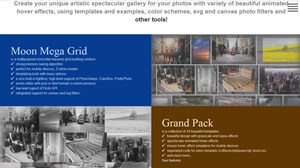
Create your unique artistic spectacular gallery for your photos with variety of beautiful animated hover effects, using templates and examples, color schemes, svg and canvas photo filters and other tools.    integrated support for canvas and svg filters, perfect for mobile devices, simple templating tools, built-in lightbox with retina support, 2 retina modes, memory saving algorithm, works either with json or html formats.
Demo
Buy

15. Ultimate Grid Pro : HTML5 & JavaScript
Ultimate Grid Pro : HTML5 & JavaScript
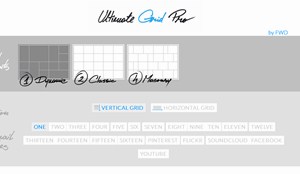
Ultimate Grid Pro is indeed the ultimate responsive multimedia grid builder packed with an insane set of features that allows to create unlimited, filterable/sortable multimedia portfolios, product swhowcase, image galleries with unlimited possibilities. It includes five grid types with vertical or horizontal layout variation (dynamic, classic, masonry, flexible and infinite) that allow to display various multimedia content in a highly customizable way. It runs on all major browsers with support for older browsers like IE8 and mobile devices like iPhone, iPad, IOS, Android or Windows mobile.  Responsive layout.
Demo
Buy

16. Gallery Content Filter With jQuery And CSS3
Gallery Content Filter With jQuery And CSS3
A jQuery based content filter which allows you to filter through a gallery of images with smooth CSS3 transition effects.
Demo
Download

17. Viewer : jQuery Image Viewing Plugin
Viewer : jQuery Image Viewing Plugin
Viewer is a simple jQuery image viewing plugin. Touch Support, Zoom, Rotation, Scale (flip), Keyboard support, Cross-browser support.
Demo
Download

18. Simple Lightbox : Touch-Friendly Image Lightbox with jQuery
 Simple Lightbox : Touch-Friendly Image Lightbox with jQuery
Simple Lightbox is a touch-friendly image lightbox for mobile and desktop with jQuery. Responsive     Touch-friendly, Lightweight, Preloading next and previous image, Android, iOS and Windows phone support, CSS3 Transitions with fallback for older browsers, Keyboard support, Easy to install, easy to use.
Demo
Download

19. Minigrid : Cascading Grid Layout
Minigrid : Cascading Grid Layout
Minigrid : Cascading Grid Layout  Minigrid is a minimal 2kb zero dependency cascading grid layout. It’s responsive and can be animated.
Demo
Download

20. jQuery Sortable Photos
jQuery Sortable Photos
jQuery Sortable Photos is a jQuery UI plugin that can display photos in a responsive, sortable grid.  The photo grid is arranged in such a way that the height of the images in each row is consistent, and the images are resized to fill in the full width. The grid can optionally be configured to allow drag-and-drop sorting.
Demo
Download

21. flexImages : Lightweight & Flexible Gallery Plugin with jQuery 
flexImages : Lightweight & Flexible Gallery Plugin with jQuery
flexImages is a lightweight jQuery plugin to create a responsive, fluid and flexible gallery from a set of any Html elements that have different sizes. Includes support for lazy load, and Ajax loading content.
Demo
Download

22. Chewing-Grid : CSS Grid ideal for Card Listing Design
Chewing-Grid : CSS Grid ideal for Card Listing Design
ChewingGrid is a CSS grid for card listing design, like videos, tiles, or article lists. It doesn’t require media queries, but it adjusts based on the maximum number of columns, and minimum and maximum card width.
Demo
Download

23. Scattered Polaroids Gallery 
Scattered Polaroids Gallery
A flat-style Polaroid gallery where the items are scattered randomly in a container. When a specific item is selected, it will move to the middle while the other Polaroids will make space for it by moving to the sides. Optionally, an item can have a backface which will be shown by flipping the Polaroid when clicking on the current navigation dot again.
Demo
Download

24. Gamma Gallery: A Responsive Image Gallery Experiment 
Gamma Gallery: A Responsive Image Gallery Experiment
Gamma Gallery is an experimental responsive image gallery that attempts to provide an adjustable responsive images approach taking its grid layout and the full slideshow view into account.
Demo
Download

25. Responsive Hexagon Gallery with jQuery and CSS3
Responsive Hexagon Gallery with jQuery and CSS3
This is a jQuery & CSS3 based responsive hexagon grid layout for your image gallery that uses Geensock's TweenMax for fancy hierarchical timing animations.
Demo
Download

So which one you like most don't forget to mention :)

Friday, 24 June 2016

10 Best XML Editor Software

10 Best XML Editor Software
XML/Extensible Markup Language is a markup language that defines a set of rules for encoding documents in a format that is both human-readable and machine-readable. It is defined by the W3C's XML 1.0 Specification and by several other related specifications, all of which are free open standards. XML editors are different from the word processing tools as these are added with the functionalities of editing XML files. XML editing is basically done by way of using any plain text editor with all the code visible, however, with the extra functionalities of performing tag completion and the integration of menus and buttons for tasks that are standard requirement of XML editing. These are based on data supplied with DTD or XML tree. This system of later on XML editors is suitable for those users who are not fluent in XML code and require to provide the information in XML-based documents including expenditure reports and time sheets. Here in this article we have gathered the list of advanced XML editor that have the solution in the shape of XML Editor, XML Author, XML Web Author, XML Developer. Read on:

10 Best XML Editor Software

1. EditiX
EditiX is a quality generated XML editor and XSLT editor for Mac OS X, Windows and Linux operating systems. The functions of EditiX are not limited to editing of XML and XSLT only. It can even perform the Visual Schema editing, XQuery Editor, working and XSLT debugger fort all three major operating systems.

2. Oxygen
Oxygen XML Editor it a multi-platform tool for XML editing. Being one of the leading and advanced level of XML editor, and the complete solution for XML authoring. Oxygen delivers the most state of the art helpful tool for XML editing and other advanced level of editing tools.

3. XMLSpy
XMLSpy is a universal level of XML editor that support for the XML editing, viewing and debugging. Based on the state of the art XML based technologies, XMLSpy XML editor delivers the unsurpassed compliance with the innovative industry standards from XQuery to XSLT and WSDL to Open XML and XBRL.

4. XMLmind
XMLmind XML Editor is best known for delivering the highly extensible XML editor that is used to create documents conforming to create the custom schema. It is a strictly validating, DocBook editor, DITA editor, XHTML editor, WYSIWYG, XML editor and much more are the leading functionalities of the XMLmind.

5. Essential XML Editor
Essential XML Editor is a lightweight tool for the text-based XML document editing. There is integration of the XML wellformedness tester, DTD validator and Saxon SXLT processor and much more are also integrated in the Essential XML Editor. That are the special features of the Essential XML Editor that may be used for free of charge.

6. Xmplify XML Editor
Xmplify XML Editor is a the name of a professional level of XML editor designed for the Mac OS X operating systems with XML schema based auto completion, DTD, and automatic document validation. Xmplify XML Editor delivers the one of the best editing environments to its users making them able to enjoy the support of XSLT, XPath and HTML preview and much more.

7. XRay
XRay XML Editor is an advanced and real time XML editor for validating the XML files. Just after starting the XRay XML Editor, it will start listing the errors to make you able to check by yourself either the documents you are editing or using are correct or not. The best part of this XML editor is that you don’t need to parse your file.

8. iXedit
iXedit XML Editor is an all-in-one XML editor, authoring and coding tool for enjoying the simple working of the tedious process. It will make you able to speed up your XML coding for syntax highlighting, auto completion and templates for XML and scripting languages.

9. FontoXML
FontoXML is a web based XML editor for the subject matter experts and occasional content contributors who are looking for an autoring solutions to create structured and highly intelligent content. FontoXML has sub divided its way of functioning into three main areas that are authoring solutions, web-based XML editor and FontoXML add-ons.

10. MoreMotion
MoreMotion XML Editor is a free and handy XML editor to develop XSL, XML and Ajax powered web applications. MoreMotion XML Editor is the part of MoreMotion Application Studio that itself is a rapid web application development program based on the MoreMotion AG.

So which one you gonna use don't forget to mention :)

Saturday, 11 June 2016

Top 10 Alternatives to Google Web Designer

Top 10 Alternatives to Google Web Designer
Google Web Designer is a program developed by Google for creating interactive HTML5 ads and other HTML5 content supported on Windows, Mac and Linux from. It offers a GUI with common design tools, such as a Text tool that integrates with Google Web Fonts, a Shapes tool, a Pen tool, and 3D tools for the idea of Google for presenting your idea across the screens. Google Web Designer is for brilliant developers who want to present a brilliant idea across the internet and it is a web developing platform for creating engaging, interactive HTML5 based designs and motions graphics and sites that can be operated from any device anywhere including PC, tablet and mobile without any compatibility issues. Google Web Designer integrated with Google Drive, AdWords, DoubleClick, pre-programmed web components, organization of multiple pages, navigate among pages and content, creating and manipulating of 3D contents, control of CSS3, visualizing 3D transformations, content creating tools, pen tools, Tag Tool., gradient editing tools, and map, it is also best for animation focused websites. Here below the top Top 10 Alternatives to Google Web Designer listed; Read on:

Top 10 Alternatives to Google Web Designer

1. WYSIWYG Web Builder
WYSIWYG Web Builder is a web building software program that is utilized for creating interactive web pages. The utility can generate HTML tags while you point and click on aimed functions. It allows you create a web page without even learning HTML. WYSIWYG Web Builder is such a platform that lets the users create HTML5 and CSS3 websites easily and quickly by using the advanced tools of the WYSIWYG Web Builder.

2. WIX 
WIX is a cloud website building platform for creating a website of every type for free. Start with rough data and end at the stunning and professional website. Creating website by using WIX is really easy and free. Either it is about building the business, design, online shopping store, portfolio & CV, restaurant & hoteling, photography, music & multimedia, accommodation, events or any other kind of website through HTML5 template editing Drag and Drop system.

3. Moonfruit
Moonfruit is a free-to-use web builder for making an own independent website.  If you are interesting in creating your own platform in the shape of website but have no knowledge of programming and coding then Moonfruit is a web builder where there is no requirement of any kind of pretechnical knowledge. Either you want to build a website or a shop, both are easy.

4. TextMate 
TextMate is basically an editor for the Mac OS X operating systems. TextMate supports various programming languages, packages and syntax highlighting. Every type of designing and programming is little difficult without having a proper text editor. TextMate is a dedicated platform for those purposes that eliminate the overwhelming and repetitive nature of tasks.

5. Coda 
Coda is a text editor for your web and blogs. If you are looking for a clean, fast and professional text editor then here we are presenting Coda with a pixel perfect preview. Coda integrates advanced tools that let the users manage their local and removable files easily and even a dash of SSH. The advantages of using Coda are speed, accuracy, editor improvements, local indexing, plugin preferences, CSS overriding etc.

6. iBuilt
iBuilt is a web building and designing platform for making, designing and marketing personal website. iBuilt integrates all those features and tools that are important for making and designing point of view. Either it is about designs, SEO, web hosting, emails, credit card processing or multimedia, social media, online banking tools, and others, iBuilt integrates all these functions and features to ease the developers.

7. Squarespace 
Squarespace is a fully professional platform for creating and managing websites of all types. Building website by using Squarespace is really simple and easy. The interactive and user-friendly interface of Squarespace can be equally used by beginners and professionals. Designs, image manager, galleries, connected services, audio collection, layout engine, user data collection, user control are some available tools in Squarespace besides dozens of others.

8. Jimdo 
Jimdo is for creating website for free by using the professional web builder and developer of Jimdo. Jimdo is for creating the websites of professional level easily and quickly. Jimdo asks the users to start with rough data and end on a professional website. Choose a design from the available designs of Jimdo, upload the images, edit the text and within a few clicks a gorgeous website will be online.

9. Bluefish Editor 
Bluefish Editor is a powerful editor that are designed for web designers and programmers to enhance the quality of their websites and blogs. The options available in Bluefish Editor among a lot of options are websites editing, scripts and programming code. Moreover, it also supports various other programming languages and markup languages. Bluefish Editor is a mufti-platform text and web builder that is available for Windows, Linux, Mac OS.

10. Webs 
Webs is a free web developing & hosting platform where the user can develop their own website for free. A lot of designing tools and templates are available at Webs that lets the users to develop and design their websites as they want. Webs is an easy to use and interactive web builder that requires no prior coding and technical knowledge requirement.

Here in this post more such web builder application listed; check them out too. And which application is your favorite don't forget to mention :)